Tor
Tor (derived from The Onion Router) is a free and open-source software for enabling anonymous communication. It helps users to explore the internet with privacy. Learn More about the Tor.
Note: This feature is currently in beta, and may be problematic in some countries. When Tor is enabled, the following features will not work properly:
- VPN
- DNS
- IPv6
- ADGuard Home.
Supported models
Supported Models
- GL-MT3600BE (Beryl 7)
- GL-BE6500 (Flint 3e)
- GL-BE9300 (Flint 3)
- GL-BE3600 (Slate 7)
- GL-B3000 (Marble)
- GL-MT6000 (Flint2)
- GL-X3000 (Spitz AX)
- GL-XE3000 (Puli AX)
- GL-AX1800 (Flint)
- GL-MT2500/GL-MT2500A (Brume 2)
- GL-MT3000 (Beryl AX)
- GL-AXT1800 (Slate AX)
- GL-A1300 (Slate Plus)
- GL-AP1300 (Cirrus)
- GL-S1300 (Convexa-S)
- *GL-SFT1200 (Opal)
- *GL-MT1300 (Beryl)
- *GL-E750/E750V2 (Mudi)
Note: Models marked with * do not support Tor natively, but users can manually install Tor via a plug-in. Click here for details.
Unsupported Models
- GL-X2000 (Spitz Plus)
- GL-AR750S (Slate)
- GL-X750/GL-X750V2 (Spitz)
- GL-XE300 (Puli)
- GL-MT300N-V2 (Mango)
- GL-AR300M Series (Shadow)
- GL-B1300 (Convexa-B)
- GL-X300B (Collie)
Setup
On the left side of web Admin Panel -> VPN -> Tor.
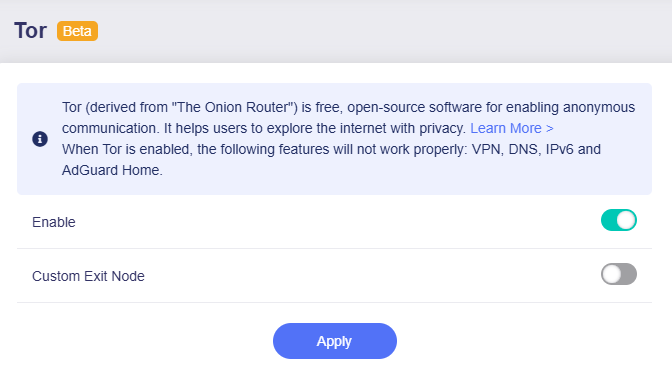
Click the toggle switch to enable it, enable Custom Exit Nodes if required, then click Apply.
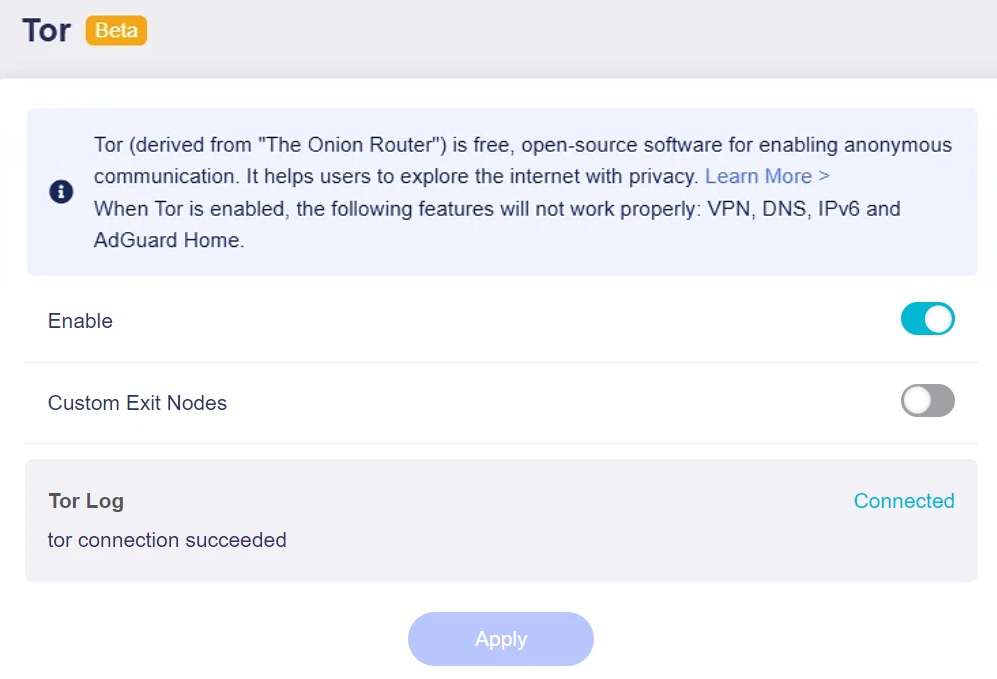
It will start connecting. If your network meet the requirements, it will show connected.
Manual install
Note: Some models can have Tor manually installed via a plug-in, but this may increase CPU load and slow down system response.
On the left side of web Admin Panel -> APPLICATIONS -> Plug-ins.
Search gl-sdk4-ui-torview, and install.


Still have questions? Visit our Community Forum or Contact us.