How to let all data go through VPN?
If you want all network traffic on the router to be routed through the VPN, and block all Internet connections when the VPN fails, please follow the steps below to enable the VPN Kill Switch.
Note: Set up VPN client on your GL.iNet router first before enabling VPN Kill Switch.
For firmware v4.7 or earlier
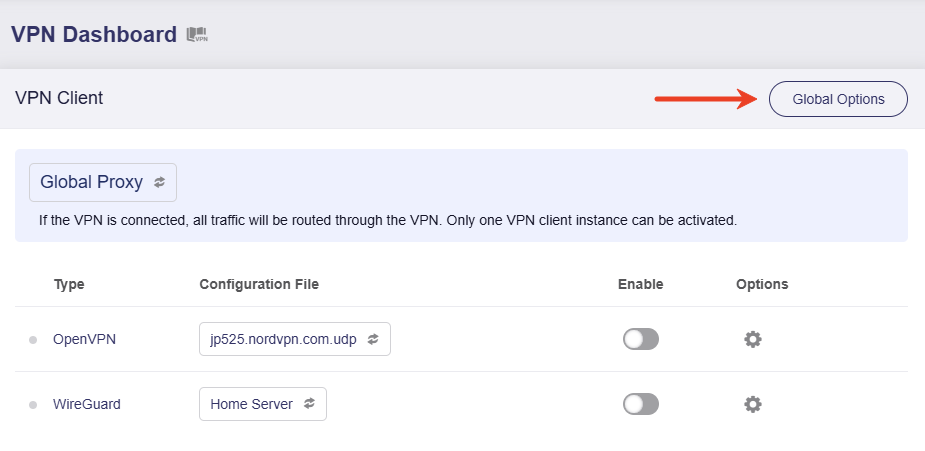
Log in to your router's web Admin Panel, navigate to VPN -> VPN Dashboard -> VPN Client section, and click Global Options.
Toggle on Block Non-VPN Traffic (also called Kill Switch in some firmware version), then click Apply.
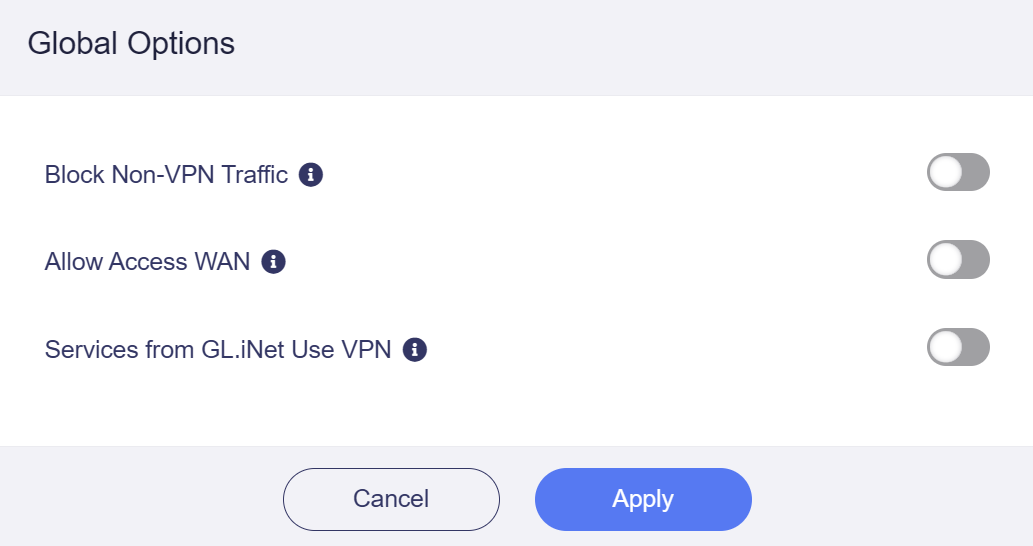
Note: When Block Non-VPN Traffic / Kill Switch is enabled, if your VPN is disabled or disconnected, all devices connected to the router will be restricted from accessing the Internet to prevent DNS leaks.
For firmware v4.8 or later
In firmware v4.8, the VPN Kill Switch has been split into two modes.
-
Tunnel Kill Switch: It is enabled by default when the corresponding VPN tunnel is activated.
-
Enhanced Kill Switch (in Policy Mode): It is disabled by default to ensure that all traffic not covered by the VPN tunnels and policies above can still access the Internet. In short, it maintains normal Internet access for non-VPN traffic.
Tunnel Kill Switch
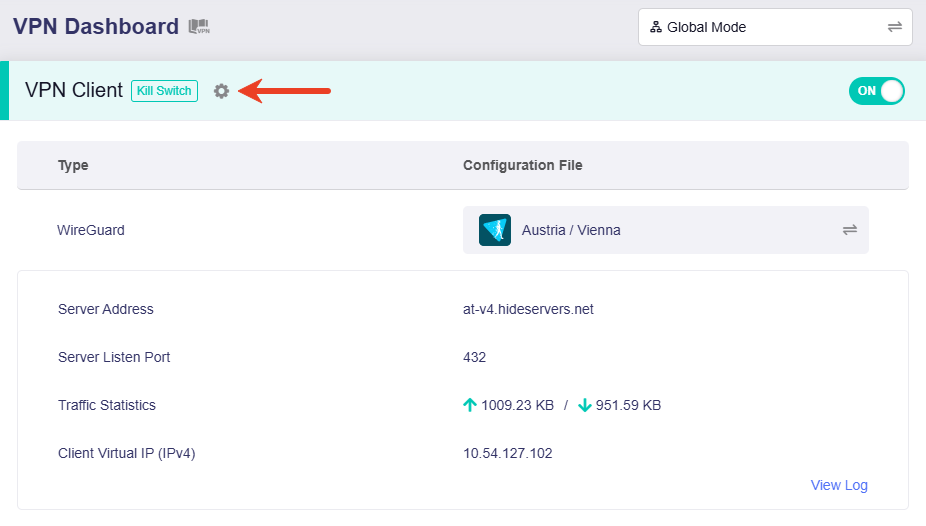
On the router's web Admin Panel, navigate to VPN -> VPN Dashboard.
If you set your router as a VPN client, the Kill Switch for this VPN tunnel is enabled by default once the VPN is activated.
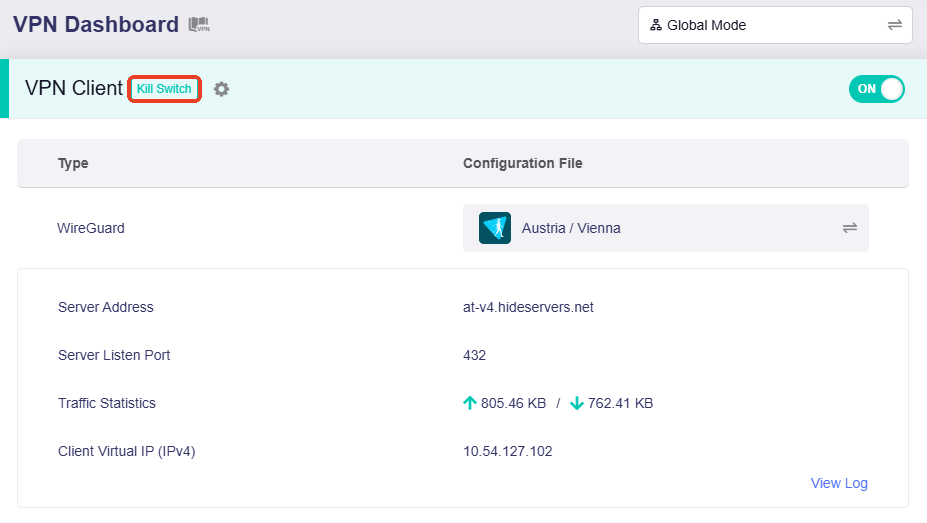 (VPN Global Mode)
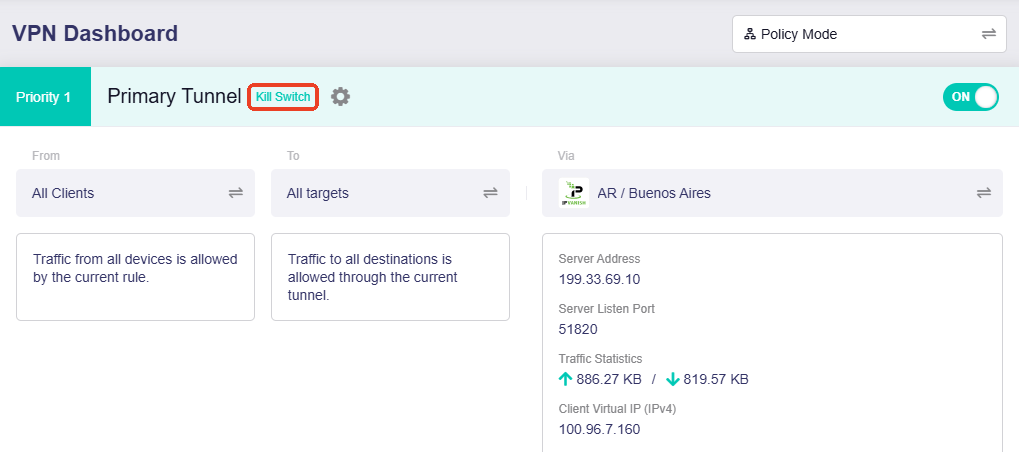 (VPN Policy Mode)
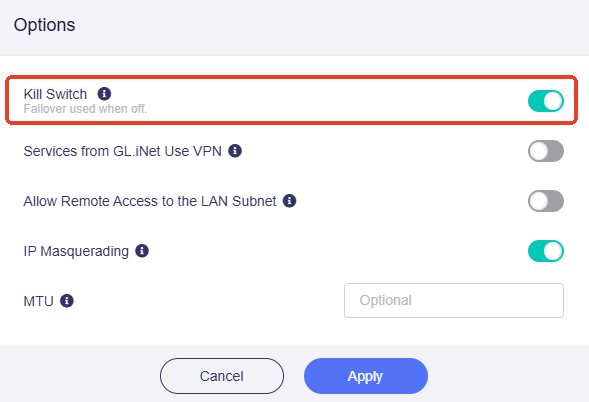
Click the gear icon next to the tunnel name to enter the Tunnel Options.
The Kill Switch for this tunnel is enabled by default.
Enhanced Kill Switch
This is available in Policy Mode.
On the router's web Admin Panel, navigate to VPN -> VPN Dashboard, switch the VPN mode to Policy Mode, then find a section named All Other Traffic at the bottom. This section may vary slightly depending on the firmware version.
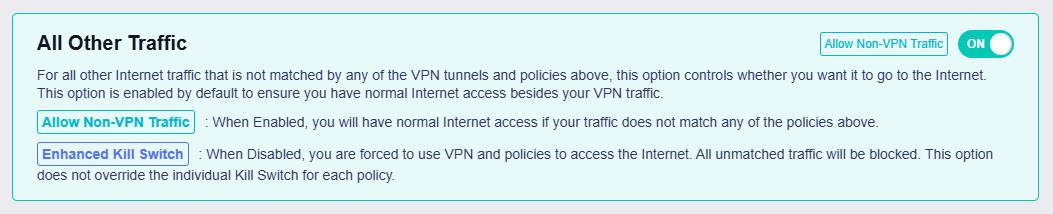
All Other Traffic is a default tunnel that ensures normal Internet access for traffic not covered by the VPN tunnels and policies above, or traffic that has failed over from VPN connections. This tunnel is enabled by default and mutually exclusive with Enhanced Kill Switch.
Note: If you disable All Other Traffic, you will only be able to access the Internet via VPN. All unmatched traffic will be blocked. This setting does not override the individual Kill Switch for each tunnel.
Still have questions? Visit our Community Forum or Contact us.